
Duplicate, Google Chose Different Canonical Than User: Full Fix Guide for Websites
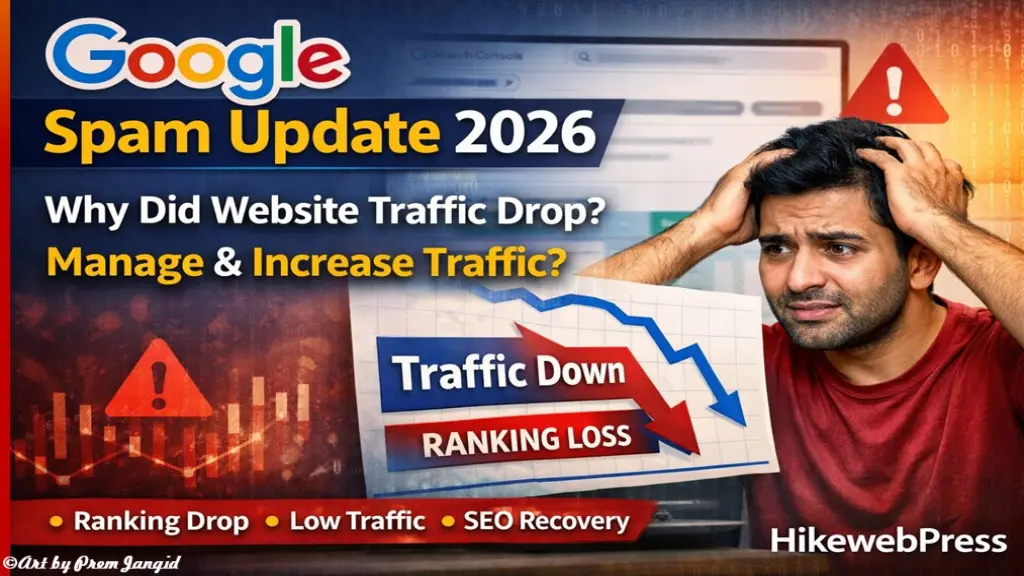
Google Spam Update 2026: Why Your Website Traffic Dropped & How to Recover Fast
AdSense, SEO & Backlinks 2026Google spam updates are one of the biggest reasons behind sudden traffic drops and ranking fluctuations. If your website traffic suddenly decreased or rankings went down, then most likely your site is affected by the latest spam update. In this guide, you will understand what the Google Spam Update is, why your rankings drop, and what you should do to recover your traffic quickly.
What is Google Spam Update and How It Affects Rankings
Google Spam Update is designed to detect and remove low-quality, spammy, and manipulative content from search results. It works automatically using advanced AI systems like SpamBrain to identify websites that are violating Google policies.
When this update rolls out, it can either boost your rankings or completely drop your traffic. In most cases, websites that rely on shortcuts like low-quality backlinks, AI spam content, or over-optimization see a sudden decline in rankings.
If your website is clean, user-focused, and follows SEO best practices, you may see improvement. But if there are issues, rankings drop quickly.
Why Website Traffic Drops After Spam Update
After a Google spam update, many websites lose traffic because they unknowingly violate Google’s guidelines. The biggest reason is poor SEO practices that worked earlier but are now detected as spam.
One major reason is low-quality backlinks. If your website has links from irrelevant or spammy sites, Google ignores their value or penalizes your rankings.
Another reason is thin or AI-generated content without real value. Google now focuses on helpful, human-written, and experience-based content.
Also, over-optimization like keyword stuffing, too many ads, or unnatural linking can trigger ranking drops.
What is Link Spam and How It Impacts SEO
Link spam is one of the main targets of Google spam updates. It includes buying backlinks, using automated tools, or creating irrelevant links just to manipulate rankings.
Google now detects such links and removes their SEO value. That means even if you built hundreds of backlinks, they may stop working instantly after the update.
In some cases, your rankings drop because the “link juice” is removed. So your site loses authority overnight.
How to Check If Your Website is Affected
You can easily check the impact using Google Search Console. Look at your impressions, clicks, and average position.
If your impressions are dropping and your average position is increasing (like from 20 to 40+), then your rankings are going down.
Also check:
-
Sudden traffic drop
-
Keywords losing rankings
-
Pages disappearing from search
These are clear signs your website is affected by a spam update.
What You Should Do After Google Spam Update
Instead of panicking, focus on fixing your website step by step. First, audit your content and remove low-quality or outdated posts.
Second, improve your content quality. Write detailed, helpful, and user-focused articles. Avoid AI-only content and add real experience.
Third, clean your backlink profile. Remove spammy backlinks and focus on building high-quality, relevant links.
You can also read this guide to improve your SEO strategy:
How to Create High-Quality Backlinks in 2026 & Rank Higher on Google Discover
Focus on Content Quality and User Value
Google now prioritizes content that solves user problems. If your content is helpful, informative, and easy to read, it will rank better over time.
Avoid writing for search engines only. Write for users. Add examples, case studies, and real insights.
Also, update your old articles regularly. Fresh content performs better after updates.
Why You Should Not Depend Only on Google Traffic
One of the biggest mistakes bloggers make is depending only on organic traffic. Google updates can wipe out your traffic anytime.
That’s why you should diversify your traffic sources:
-
Social media (Facebook, Instagram, Telegram)
-
Direct traffic
-
Email marketing
-
Google Discover
You can also learn about monetization strategies here:
Monetize Your Blog Website Instantly And Start Earning in 2026
Start Google Discover and Social Media Blogging
Google Discover is currently one of the best traffic sources. It does not depend heavily on backlinks but focuses on content quality and user interest.
Create trending, engaging, and visually appealing content to get traffic from Discover.
Also build your presence on social media platforms. When users come from multiple sources, your site becomes more trusted in Google’s eyes.
Extra Tips to Recover Traffic Faster
To recover quickly from a spam update, follow these practical tips:
-
Remove duplicate and thin content
-
Improve page speed and mobile usability
-
Avoid excessive ads
-
Focus on niche authority
-
Publish content consistently
-
Build only high-quality backlinks
-
Keep your site clean and user-friendly
Google Spam Updates are tough, but they are not the end. If your traffic dropped, it means something needs improvement.
Focus on quality content, clean SEO practices, and multiple traffic sources. Avoid shortcuts and build long-term authority.
If you stay consistent and follow the right strategy, your rankings will recover and grow stronger over time.



Leave Message