
Best Low Competition Keywords for New Bloggers in 2026 (Easy SEO Strategy)
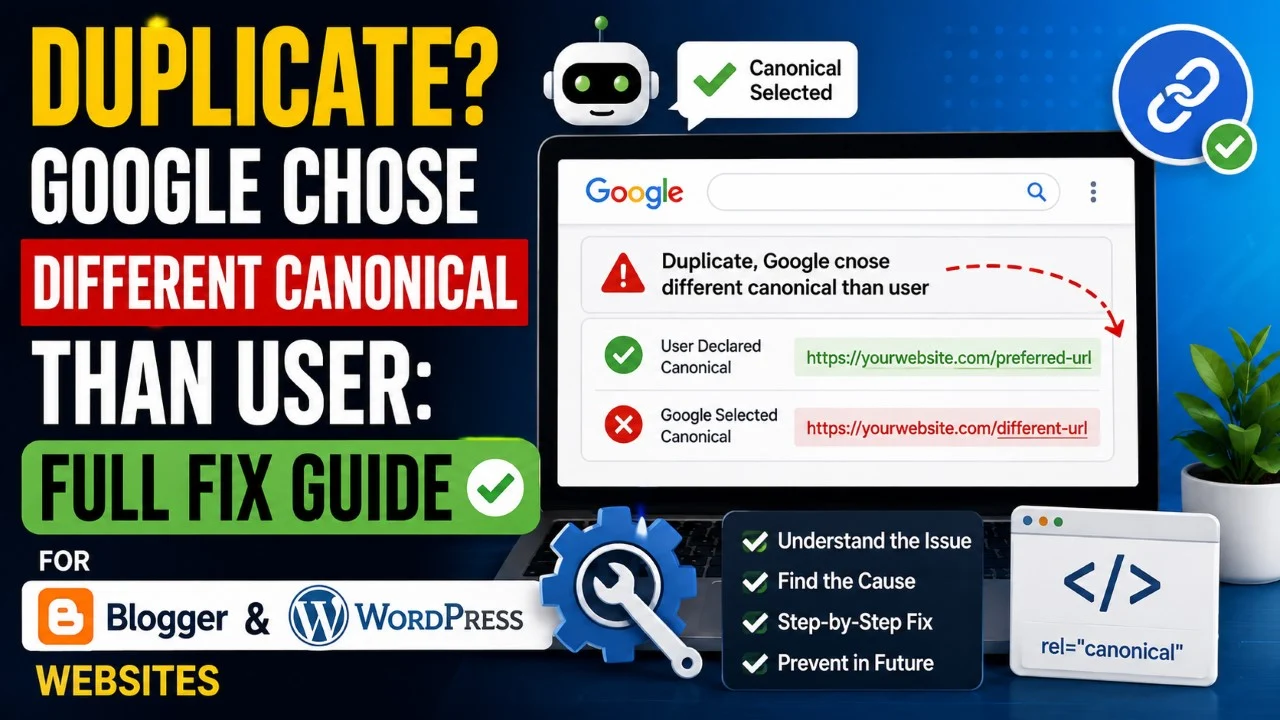
Duplicate, Google Chose Different Canonical Than User: Full Fix Guide for Websites
Web Development InsightsDuplicate, Google chose different canonical than user is one of the most common indexing issues reported inside Google Search Console in 2026. Many website owners become worried after seeing this warning because their pages stop ranking properly or fail to appear in Google Search results. This issue usually happens when Google believes another URL is a better version of your content than the canonical URL you selected manually. If not fixed correctly, it can affect SEO rankings, indexing performance, crawl efficiency, and organic traffic growth.
What Does Google Chose Different Canonical Than User Mean?
A canonical URL tells Google which version of a webpage should be treated as the primary version for indexing and ranking. However, Google does not always follow the canonical URL selected by the website owner. If Google detects duplicate content, weak internal linking, poor page quality, or inconsistent signals, it may choose another URL as the canonical version instead. Understanding how canonical URLs work is important for maintaining stable rankings and preventing indexing conflicts on Blogger and WordPress websites.
For example, if your article exists on multiple URLs like:
- https://example.com/post-name
- https://www.example.com/post-name
- https://example.com/post-name/?amp
- https://example.com/category/post-name
Google may decide that one of these versions is more important than the one you selected manually.
Google officially explains canonicalization here: Google Canonical URL Documentation.
Why This Canonical Issue Happens
Google usually chooses a different canonical when your website sends mixed SEO signals. This problem is common on Blogger, WordPress, news websites, and automatically generated category pages. Duplicate content and technical SEO mistakes often confuse Google’s indexing system. If multiple URLs provide similar content and your website structure is inconsistent, Google may ignore your selected canonical URL completely.
Some major causes include:
- Duplicate URLs with similar content
- Weak internal linking structure
- Incorrect canonical tags
- HTTP and HTTPS conflict
- WWW and non-WWW duplication
- AMP page conflicts
- Parameter URLs getting indexed
- Thin content pages
- Pagination issues
- Multiple category archives
Learn technical SEO basics from: Google SEO Starter Guide.
How Canonical Tags Work
Canonical tags help search engines understand which URL should receive ranking authority and indexing priority. Without proper canonical implementation, link equity may split across duplicate pages, reducing overall SEO performance. A properly optimized canonical structure also improves crawl efficiency and helps Google identify your preferred content version more accurately.
A proper canonical tag looks like this:
<link rel="canonical" href="https://example.com/sample-post/" />
This tag should always point to the preferred URL version of your article or page. Every duplicate variation should reference the same canonical URL consistently.
Google Search Central explains canonical best practices here: Canonicalization Best Practices.
How to Fix Google Chose Different Canonical Than User
Fixing this issue requires improving technical SEO signals so Google clearly understands your preferred URL. Most websites can solve the problem completely by following structured optimization steps. When all duplicate signals are cleaned properly, Google usually updates canonical selection automatically during future crawls and indexing updates.
1. Use Proper Canonical Tags
Ensure every page contains a self-referencing canonical tag pointing to the correct URL version.
2. Redirect Duplicate URLs
Use 301 redirects for:
- HTTP to HTTPS
- WWW to non-WWW
- Trailing slash consistency
- Duplicate parameter pages
3. Improve Internal Linking
Always link to the preferred canonical URL inside articles, menus, breadcrumbs, and sitemaps.
4. Remove Thin Duplicate Pages
Delete or noindex low-value pages such as duplicate tags, search result pages, and archive URLs.
5. Submit Correct Sitemap
Your XML sitemap should only contain canonical URLs.
Related internal guide: High CPC Keywords Guide.
Fixing Canonical Issues in WordPress
WordPress websites commonly face canonical conflicts because of categories, tags, attachment pages, and plugins generating duplicate URLs automatically. SEO plugins can simplify canonical management significantly. Proper plugin configuration combined with clean permalink settings can solve most indexing conflicts without advanced coding knowledge.
Recommended SEO plugins:
- Rank Math SEO
- Yoast SEO
- All in One SEO
Inside these plugins:
- Enable canonical tags
- Disable attachment page indexing
- Remove unnecessary archives
- Set preferred permalink structure
- Redirect duplicate URLs properly
WordPress optimization guide: WordPress Documentation.
Related internal article: Best Low Competition Blogging Niches.
Fixing Canonical Issues in Blogger
Blogger websites also experience canonical problems because label pages, mobile URLs, and archive pages often create duplicate versions automatically. Blogger users should optimize indexing carefully and avoid unnecessary URL indexing problems. Simple adjustments inside Blogger settings can improve indexing quality significantly.
Important fixes include:
- Use custom robots.txt properly
- Disable indexing of search label pages
- Avoid duplicate mobile URLs
- Improve internal linking structure
- Publish unique content consistently
You can test URLs using: Google Rich Results Test.
Does This Canonical Issue Affect Rankings?
Yes, incorrect canonical selection can affect rankings and indexing performance significantly. When Google indexes the wrong URL version, your preferred page may lose visibility in search results. Duplicate content signals can also reduce crawl efficiency and weaken page authority distribution. Solving canonical conflicts helps search engines consolidate SEO signals more effectively.
Possible SEO problems include:
- Important pages not indexing
- Traffic drops
- Ranking fluctuations
- Duplicate keyword cannibalization
- Reduced crawl budget efficiency
Learn about indexing systems here: Google Crawling & Indexing Guide.
How Long Does Canonical Fixing Take?
After implementing fixes, Google may take several days or weeks to update canonical selections fully. The speed depends on crawl frequency, website authority, and sitemap optimization. Websites updated regularly usually recover faster because Google crawls them more frequently. Consistent SEO improvements help speed up recovery and indexing stabilization.
To speed up reindexing:
- Submit updated sitemap
- Request indexing manually
- Improve internal linking
- Publish fresh content regularly
You can request indexing directly from: Google Search Console Dashboard.
Related internal article: SEO Blogging Strategy 2026.
Best SEO Practices to Avoid Canonical Errors
Preventing canonical issues is easier than fixing them later. A strong technical SEO foundation helps Google understand your website structure clearly and improves indexing consistency. Websites that maintain clean URL architecture and avoid duplicate pages experience fewer canonical conflicts over time.
Best practices include:
- Use one clean URL structure
- Maintain consistent internal links
- Avoid duplicate content
- Use proper redirects
- Optimize XML sitemaps
- Keep website architecture simple
- Avoid unnecessary parameter URLs
- Regularly audit indexing reports
SEO monitoring tools: Google PageSpeed Insights.
Duplicate, Google Chose Different Canonical Than User Conclusion
The “Duplicate, Google chose different canonical than user” issue is usually caused by mixed technical SEO signals and duplicate content confusion. Fortunately, the problem can be fixed by implementing proper canonical tags, improving internal linking, removing duplicate URLs, optimizing sitemaps, and strengthening overall website structure. Once Google clearly understands your preferred URL version, indexing and rankings often improve significantly. Website owners who maintain clean technical SEO practices experience fewer canonical problems and better long-term organic growth.
Duplicate, Google Chose Different Canonical Than User FAQs
Q.1 What does Google chose different canonical than user mean?
Answer: It means Google ignored your selected canonical URL and chose another version of the page for indexing.
Q.2 Is this canonical issue harmful for SEO?
Answer: Yes, it can affect rankings, indexing, crawl efficiency, and traffic if not fixed properly.
Q.3 How do I check canonical URLs?
Answer: You can inspect URLs inside Google Search Console and check source code for canonical tags.
Q.4 Can duplicate content cause canonical problems?
Answer: Yes, duplicate or similar content is one of the main causes of canonical conflicts.
Q.5 How long does Google take to update canonical URLs?
Answer: Usually a few days to several weeks depending on crawl frequency and website authority.











Leave Message