

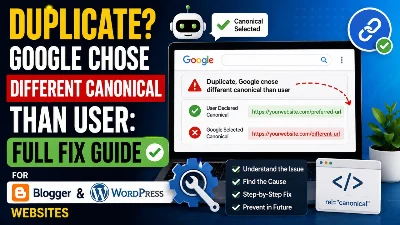
Duplicate, Google Chose Different Canonical Than User: Full Fix Guide for Websites
How to Find Relevant Keywords Using Google Search Console (2026 Guide)
Web Development InsightsIf you want to grow your website traffic and rank higher on Google, finding the right keywords is the most important step. Many beginners use random keyword tools, but the smartest way to find highly relevant and already working keywords is by using Google Search Console. In this guide, you will learn how to extract powerful keywords directly from your own website data and use them to boost rankings and traffic.
What is Google Search Console and Why It Matters
Google Search Console keywords are one of the most powerful data sources for bloggers and SEO experts. This tool shows real search queries that users are typing on Google to find your website. Instead of guessing keywords, you get actual data directly from Google. Using Google Search Console keywords helps you create targeted content, improve rankings, and increase organic traffic faster.
Google Search Console is a free tool by Google that helps you understand how your website performs in search results. It shows data like impressions, clicks, CTR, and most importantly, the actual keywords people are using to find your website. These keywords already have ranking potential and are highly valuable.
When You Can Start Finding Keywords
Keyword research timing is very important when using Google Search Console. If your website is new, you may not see keyword data immediately. Google needs some time to collect performance data and analyze your content. Once your site starts getting impressions, relevant keyword data will begin to appear, which you can use for content optimization.
Requirements:
-
Website should have some published content
-
Google Search Console should be connected
-
At least 1–2 weeks of data
Step-by-Step Process to Find Keywords in Search Console
Finding keywords in GSC is a simple process if you follow the correct steps. This method allows you to identify real keywords that are already generating impressions for your website. These keywords are highly relevant and can help you rank faster if used properly in your content strategy.
Step 1: Open Performance Report
Go to Google Search Console and click on “Search Results”.
You will see:
-
Total Clicks
-
Total Impressions
-
Average CTR
-
Average Position
Step 2: Go to Queries Section
Scroll down and open the “Queries” tab.
Here you will find:
-
Keywords your site is ranking for
-
Keywords getting impressions
-
Keywords getting clicks
Step 3: Identify Untapped Keywords
Look for keywords that:
-
Have impressions but low clicks
-
Are ranking on page 2 or 3
These are high opportunity keywords.
How to Use These Keywords to Rank Faster
Keyword optimization strategy plays a major role in ranking your content on Google. Once you find keywords from Search Console, you should use them smartly in your content. Targeting the right keyword with proper optimization can help your article rank faster and bring consistent organic traffic.
Strategy:
-
Pick one keyword
-
Write a detailed article
-
Add related keywords naturally
-
Optimize headings and title
Learn proper SEO writing here:
How to Write SEO Friendly Content That Ranks on Google in 2026
Find High Traffic Pages and Expand Content
High traffic pages strategy helps you grow your website faster by improving existing content. Google Search Console shows which pages are already performing well. By updating and expanding those pages, you can increase rankings and traffic without creating new content from scratch.
Go to the “Pages” tab and check:
-
Pages with high impressions
-
Pages getting clicks
What to Do:
-
Update content
-
Add new sections
-
Target more keywords
Use Keyword Data to Build Topical Authority
Topical authority SEO means covering a topic completely with multiple related articles. When you use Google Search Console keyword data, you can identify related keywords and build content clusters. This helps Google trust your website and improves your chances of ranking higher.
Learn backlink strategy here:
How to Create High-Quality Backlinks in 2026
Advanced Tips to Get More Keyword Ideas
Advanced keyword research techniques help you find more opportunities beyond basic queries. By analyzing different data points in Search Console and combining them with other tools, you can create a strong content strategy that drives long-term traffic.
Tips:
-
Check country data
-
Analyze device data
-
Use tools like Google Trends
Common Mistakes to Avoid
Keyword research mistakes can slow down your website growth. Many bloggers ignore Search Console data and focus on random topics. This leads to poor rankings and low traffic. Avoiding these mistakes can significantly improve your SEO performance.
Mistakes:
-
Ignoring real data
-
Not updating old content
-
Writing random topics
-
Not targeting user intent
Monetize Your Blog Using Keywords
Monetize blog with keywords strategy helps you turn traffic into income. Once your keywords start bringing visitors, you can use different monetization methods to earn money from your blog. High-quality traffic increases your earning potential.
Keyword Research Checklist
Keyword checklist ensures you are following the right process. It helps you stay organized and avoid missing important steps while doing keyword research using Google Search Console.
| Step | Action |
|---|---|
| Open Search Console | Done |
| Go to Queries | Done |
| Find Low CTR Keywords | Done |
| Create Content | Done |
| Update Posts | Done |
FAQs
Q1. Is Google Search Console free?
Yes, it is completely free.
Q2. How long does it take to show keywords?
7 to 15 days after publishing content.
Q3. Can beginners use it?
Yes, it is easy to use.
Q4. Are these keywords better than tools?
Yes, because they come from real Google data.
Finally
Google Search Console is one of the best tools for finding relevant keywords. It provides real data that helps you create content that ranks. By using this data properly, you can improve your SEO strategy, increase traffic, and grow your website faster.










Leave Message