
2026 Google AdSense Privacy Policy: Create & Get Approved Quickly for Ads Approval
Web Development Insights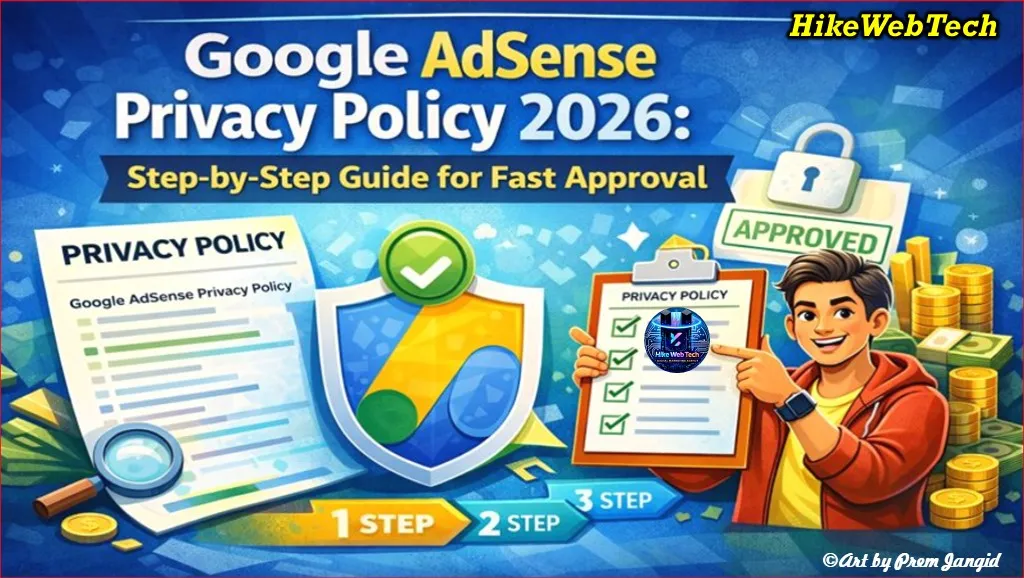
Getting Google AdSense approval in 2026 requires more than just quality content. One of the most critical requirements is having a proper Privacy Policy page. Google emphasizes transparency, user trust, and compliance with global privacy laws. Without a properly structured Privacy Policy, your website or blog may be rejected during AdSense review, wasting time and effort.
In this comprehensive guide, you will learn:
-
Why a Privacy Policy is mandatory for AdSense
-
What legal and technical information must be included
-
How to create one quickly for WordPress or Blogger
-
Tips for keeping it compliant in 2026
-
Common mistakes to avoid and FAQs
By following this guide, you’ll increase your approval chances and ensure your website is fully compliant and trustworthy.
Why a Privacy Policy Is Crucial for Google AdSense Approval
A Privacy Policy isn’t just a formality. Google requires it to ensure your site protects user data and informs visitors about how their information is collected and used. In 2026, privacy compliance is more critical than ever because:
-
Google enforces data privacy compliance globally
-
Ads must follow user consent policies like GDPR (Europe) and CCPA (California, USA)
-
A clear Privacy Policy builds trust with visitors and improves your credibility
-
Missing or incomplete Privacy Policy pages are among the top reasons for AdSense rejection
Reference: Google AdSense Program Policies
Key Takeaway: A website without a proper Privacy Policy is almost guaranteed to face AdSense rejection. Think of it as the first impression your site gives Google and your users.
What Must Be Included in a Google AdSense Privacy Policy (2026)
Your Privacy Policy must cover both legal requirements and practical disclosure about how your website operates. Below are the essential sections:
1. Introduction / Overview
-
Explain why you have a Privacy Policy
-
State that your site participates in Google AdSense
2. Information Collection
-
Describe what data you collect:
-
Cookies
-
Browsing behavior
-
IP addresses
-
-
Mention third-party services, e.g., Google Analytics, Cloudflare, or other analytics tools
3. Use of Collected Information
-
Describe how you use the data:
-
Personalized ads
-
Website performance improvements
-
Analytics and traffic tracking
-
4. Third-Party Advertising
-
Mention Google AdSense and other ad networks
-
Include a link to the official Google Ads Privacy & Terms
5. Cookies & Tracking
-
Explain cookie usage and tracking technologies
-
Offer options to opt-out of personalized ads
6. User Rights & Data Protection
-
Include GDPR or CCPA compliance if targeting global audiences
-
Explain how users can manage, access, or delete their data
7. Contact Information
-
Provide a valid email address or contact form for privacy-related inquiries
8. Update Policy Notice
-
Mention that the Privacy Policy may be updated periodically
Step-by-Step Guide to Create a Privacy Policy Page (WordPress & Blogger)
For WordPress
-
Go to your WordPress Dashboard → Pages → Add New
-
Title the page Privacy Policy
-
Copy this template (editable):
Privacy Policy for [Your Site Name]

[Your Site Name] respects your privacy. This policy explains how we collect, use, and protect your personal data while participating in Google AdSense.

**Information We Collect:**
- Cookies
- IP addresses
- Browsing behavior

**How We Use Your Data:**
- Show personalized ads
- Improve website performance
- Analyze traffic with Google Analytics

**Third-Party Ads:**
We use Google AdSense and other partners who may use cookies to show relevant ads. View Google's ad policies here: https://policies.google.com/technologies/ads

**User Rights:**
- You can manage your data preferences
- GDPR/CCPA compliance applies

**Contact Us:**
Email: [Your Email]

We may update this policy periodically.
-
Publish the page
-
Add it to your website footer for accessibility
Pro Tip: Use WordPress plugins like WP AutoTerms, Termly, or Iubenda to generate compliant Privacy Policies automatically.
For Blogger (Blogspot)
-
Log in to your Blogger Dashboard
-
Go to Pages → New Page
-
Title it Privacy Policy
-
Copy-paste the same template above
-
Save and publish the page
-
Link it in the footer or navigation menu
Pro Tip: Even free Blogspot domains need a Privacy Policy for AdSense approval. Using a custom domain increases approval chances.
Common Privacy Policy Mistakes & AdSense Impacts 2026
| Mistake | Impact on AdSense Approval | How to Fix |
|---|---|---|
| Missing Privacy Policy | Automatic rejection | Add a complete Privacy Policy page |
| Generic or copied text | Non-compliance flagged | Create a unique, site-specific policy |
| No mention of Google AdSense | Lack of transparency triggers review issues | Include AdSense and third-party ad info |
| Outdated legal references | Fails current compliance requirements | Update policy regularly |
| Hard-to-read content | Low user trust, potential compliance issues | Use headings, bullets, and simple language |
| Missing contact information | Users cannot request data deletion or corrections | Provide email/contact form |
Privacy Policy Tools Comparison (2026)
| Tool / Plugin | Platform | Features | Cost | Notes |
|---|---|---|---|---|
| WP AutoTerms | WordPress | Privacy Policy generator, TOS, Disclaimer | Free / Premium | Easy setup, GDPR-ready |
| Termly | WordPress/Blogger | Cookie consent, policy templates, compliance | Free / Paid | Automatic updates, multi-platform |
| PrivacyPolicies.com | Any platform | GDPR, CCPA, customizable templates | Free / Paid | Step-by-step wizard |
| Iubenda | WordPress/Blogger | Ads compliance, cookie consent, multilanguage | Paid | Advanced customization, enterprise-ready |
Tips for Google AdSense Approval with Privacy Policy in 2026
-
Make it easy to read – use headings and bullet points
-
Include Google AdSense references to show compliance
-
Ensure all required sections are present
-
Keep the page updated if you add new services or collect new data
-
Use SSL (HTTPS) for added trust
-
Link the Privacy Policy in the footer and navigation menu for accessibility
-
Avoid legal jargon; use simple, user-friendly language
Step-by-Step Checklist Before AdSense Application
-
Privacy Policy page created ✅
-
Page linked in footer ✅
-
Mentions Google AdSense and third-party partners ✅
-
GDPR/CCPA compliance statement included ✅
-
Contact information available ✅
-
SSL enabled ✅
-
Website content original and valuable ✅
Following this checklist drastically reduces AdSense rejection chances.
FAQs – Privacy Policy & AdSense 2026
1. Do I need a Privacy Policy for a Blogger free domain?
Yes, even Blogspot subdomains require a proper Privacy Policy for AdSense approval. Using a custom domain can improve approval odds.
2. Can I copy a template from another site?
No, Google prefers original, site-specific policies reflecting your actual data collection and ad practices.
3. Is Privacy Policy mandatory before AdSense application?
Yes. Google explicitly requires a Privacy Policy during review.
4. Can I generate a Privacy Policy automatically?
Yes, tools like WP AutoTerms, Termly, and PrivacyPolicies.com help, but always review for accuracy.
5. Should I include GDPR & CCPA even if my audience is mostly local?
Yes, because Google serves global traffic. Non-compliance may restrict ad serving.
Example of a Complete Privacy Policy for 2026
Privacy Policy for TechInsights Blog

TechInsights Blog respects your privacy. This policy explains how we collect, use, and protect your personal data while participating in Google AdSense.

**Information We Collect:**
- Cookies for personalized ads
- IP addresses
- Browsing behavior for analytics

**How We Use Your Data:**
- Display relevant ads
- Improve site performance
- Analyze traffic with Google Analytics

**Third-Party Ads:**
We use Google AdSense and other partners who may use cookies to show relevant ads. Learn more: https://policies.google.com/technologies/ads

**User Rights:**
- You can manage your data preferences
- GDPR/CCPA compliance applies

**Contact Us:**
Email: [email protected]

This policy may be updated periodically.
Creating a Google AdSense-compliant Privacy Policy in 2026 is straightforward if you follow the right steps. Key takeaways:
-
Be transparent about data collection
-
Mention Google AdSense and third-party services
-
Make the page accessible from your site
-
Keep it updated with the latest regulations
A properly structured Privacy Policy boosts your AdSense approval chances and builds trust with your audience.
Got it! You want to add a contact line for HikeWebSolutions in the article. Here's a professional way to include it in the Contact Us / Conclusion section:
Contact HikeWebSolutions
For expert guidance on Privacy Policy creation, AdSense approval, or website monetization, reach out to HikeWebSolutions:
Email: [email protected]
Website: www.hikewebsolutions.com
Our team can help you create a fully compliant Privacy Policy and improve your chances of AdSense approval in 2026.










Leave Message